The instructions below will provide you with step by step details on how to convert a tablet to the new kiosk mode.
Factory Reset The Tablet
1. Open up Settings
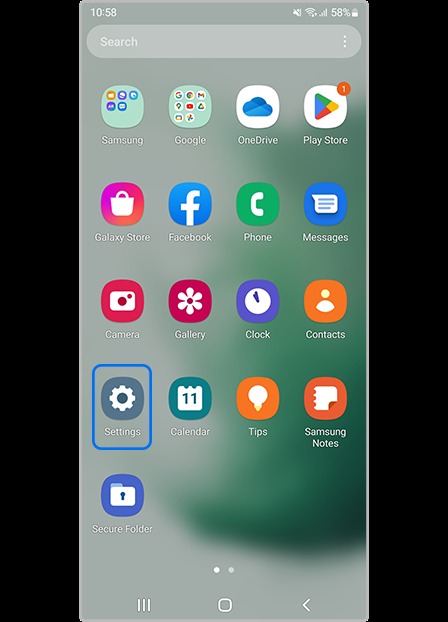
2. Tap General Management
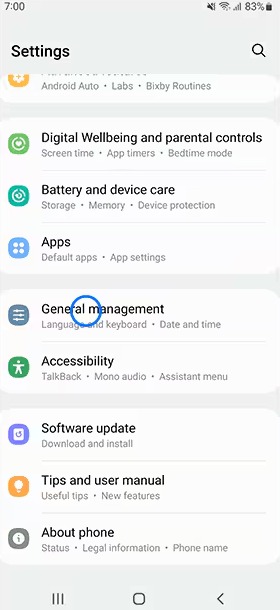
3. Tap Factory Data Reset
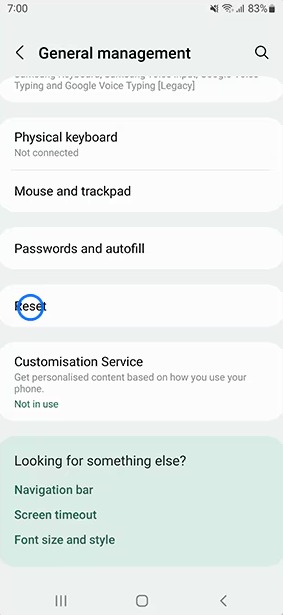
4. Tap Reset
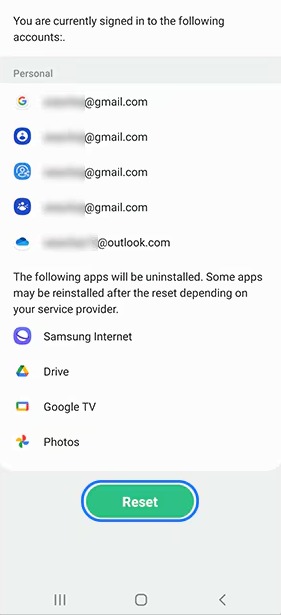
Tip: If prompted, enter the current PIN number of the device - likely 1 5 0 3 1 7
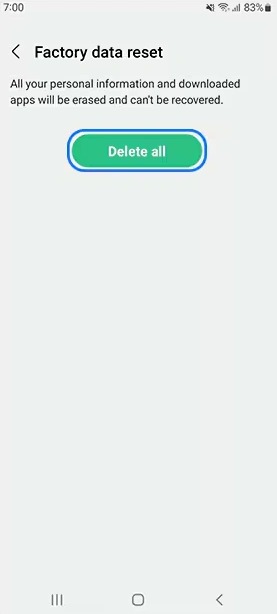
5. Tap Delete All
Set Up With Kiosk Mode
Tip: Allow the tablet to reset
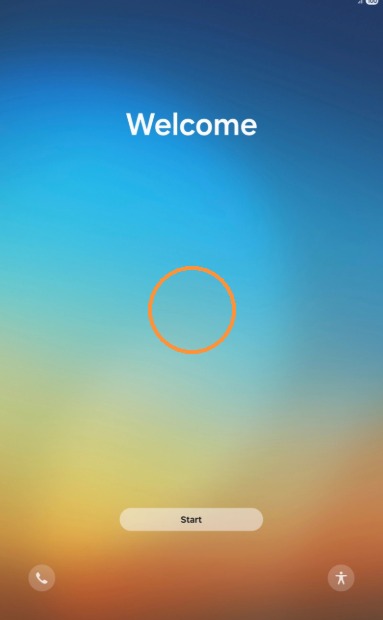
6. On the Welcome screen, continously tap on the screen (anywhere but on the start button) until the screen changes to ask for a QR code.
7. On the Scanning for a QR code screen, scan the QR code below
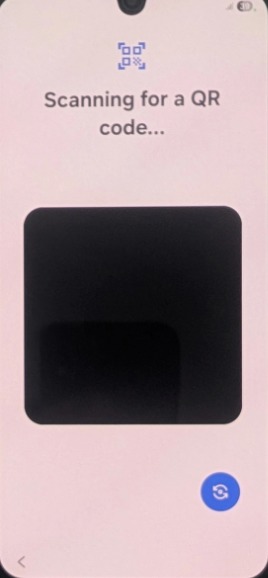
8. QR Code to be Scanned

9. Connect to a Wi-Fi source. This can be from the service phone if needed
10. Follow the prompts on screen. Press continue/next as required
Was this article helpful?
That’s Great!
Thank you for your feedback
Sorry! We couldn't be helpful
Thank you for your feedback
Feedback sent
We appreciate your effort and will try to fix the article